
Auto Backup
Free!
A plugin to save your show automatically on multiple drives with versioning.
Never worry about losing your programming again. Designed to keep your show data safe even in the event of a crash, Auto Backup includes features such as:
- Backup with custom intervals
- Automatically backup when an external drive is inserted
- Choose a base show name and a suffix for each city of the tour or anything else
- Backup versioning
- Backup to all USB drives
- Create a final backup at the end of your day
- Control each functions with commands that you can integrate into your macro
The backup name pattern is “Base Show Name – Suffix vXX” where XX is the version number.
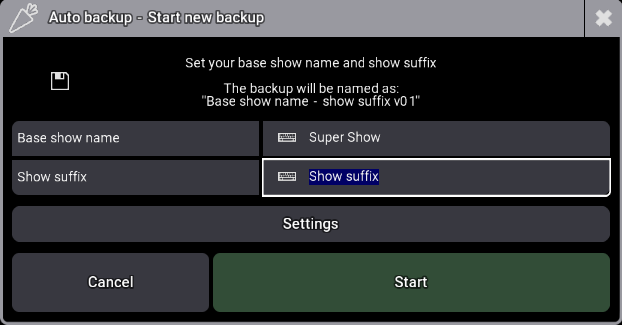
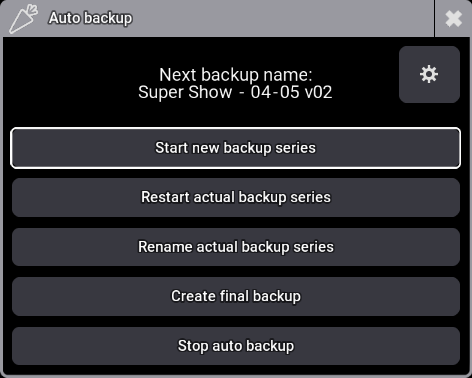
When you start the plugin, you can choose from the following actions:
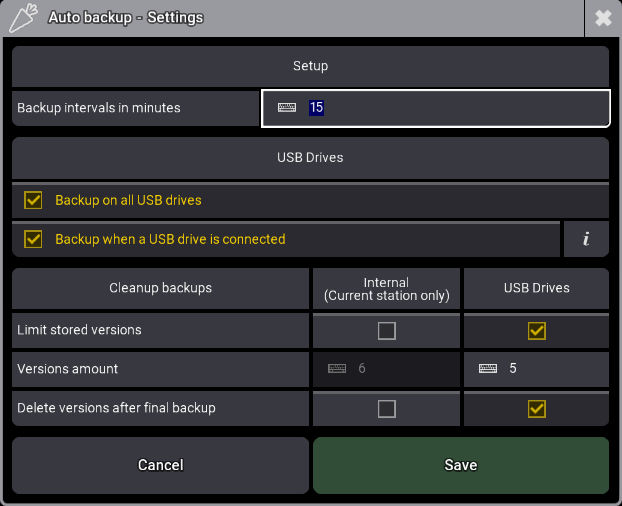
The settings offer several options:
- Backup interval: Set the frequency of your backups.
- Back up to all USB drives: Simultaneously back up to all connected drives while the plugin is running.
- Automatic backup on connection: The plugin detects when a drive is inserted and automatically saves the current version to it.
- Storage management: You can limit the number of backups stored on internal and external drives, and choose to delete all previous versions after a final backup.
📞Call the plugin with commands
Use these four commands in your macros to quickly access the plugin’s features:
Plugin "Auto Backup" "Start"Simply ask you the show suffix and start the plugin
Plugin "Auto Backup" "Restart"Restart the current backup series with same suffix, if the plugin is stopped for some reason
Plugin "Auto Backup" "Final"Stops the plugin creates a beackup with “final” instead of the backup version
Plugin "Auto Backup" "Stop"Stops the plugin
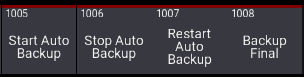
These commands are included as macros in the plugin package:
⬆️ Updates
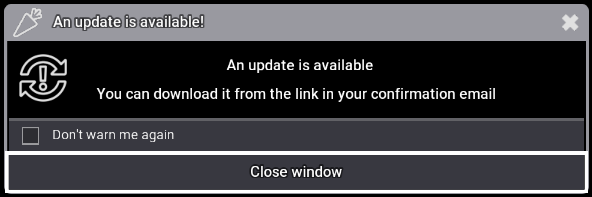
When running on onPC the plugin will check if updates are available and notify you if there are any:
🔧 Uninstall
You can uninstall the plugin with the following command, this will delete all plugin data:
Plugin "Easy Selection" "Uninstall"Version changelog
- 1.3.0.2 :
- Fixed: The “Already Running” popup appeared when using macros or reopen the plugin, now only if a plugin window is open.
- 1.3.0.1 :
- Changed: The uninstall function no longer restarts the plugin
- 1.3.0.0 :
- Added: compatibility with Lua 5.5
- Added: uninstall function
- 1.2.0.0 :
- Added: A dedicated window for plugin settings
- Added: An option to delete backup versions and retain only a limited number of versions
- Added: An option to delete all backup versions after a final backup is completed
- Added: An option to rename the current backup series from the main menu
- Changed: the option ‘Backup when a USB drive is connected’ can now be used without the option ‘Backup on all USB drives’
- Fixed: Improved detection of existing show names.
- Fixed: Reduced character limit from 23 to 22 to avoid backup names to be cropped for final backups
- Fixed: Resolved a bug that caused hooking issues with the ‘Backup when a USB drive is connected’ option
- General improvements
- 1.1.0.0 :
- Added: feature that automatically save the show when a removable drive is inserted
- Added: In the setup dialog, option to re-enable update popup notification if disabled
- Added: In the setup dialog, ou can now press enter in the interval field to start the backup series
- Fixed: if the show name is 31 characters long and the version is above 99, the show suffix is cropped to maintain version visibility
- Fixed: the plugin disable shortcut mode while displaying dialogs, in certain cases the shortcut mode was not re-enabled
- General improvements
- 1.0.1.0 :
- Fixed: Pressing start on the setup dialog doesn’t work in some cases
- Fixed: Display errors when the total backup name is too long, backup names are limited to 31 characters
- Fixed: Starting the plugin with the “Start” command doesn’t reset the version to 1
- Fixed: Starting the plugin with the “Start” command doesn’t check if the show exists, now displays a popup
- Fixed: Starting the plugin with the “Start” command now checks if the suffix contains forbidden characters
- Added: When a show is already saved with the show suffix, you can now restart the backup series with this suffix from the last version
- General improvements
- 1.0.0.1 :
- Fix a Ui bug that hide setup fields when starting the plugin
- 1.0.0.0 :
- Initial release
Tested Ma versions
- 2.5.0.3
- 2.4.2.2
- 2.3.1.1
- 2.2.5.2
- 2.3.0.4
Free!
You may also like…