
Ma3 Easy Selection
15.42€
A visual selection tool for multi-instance fixtures on grandMA3. Navigate fixture structures through a tree-view, view DMX channel assignments, and automate complex selection commands directly from a dedicated interface.
Take full control of complex fixtures with ease!
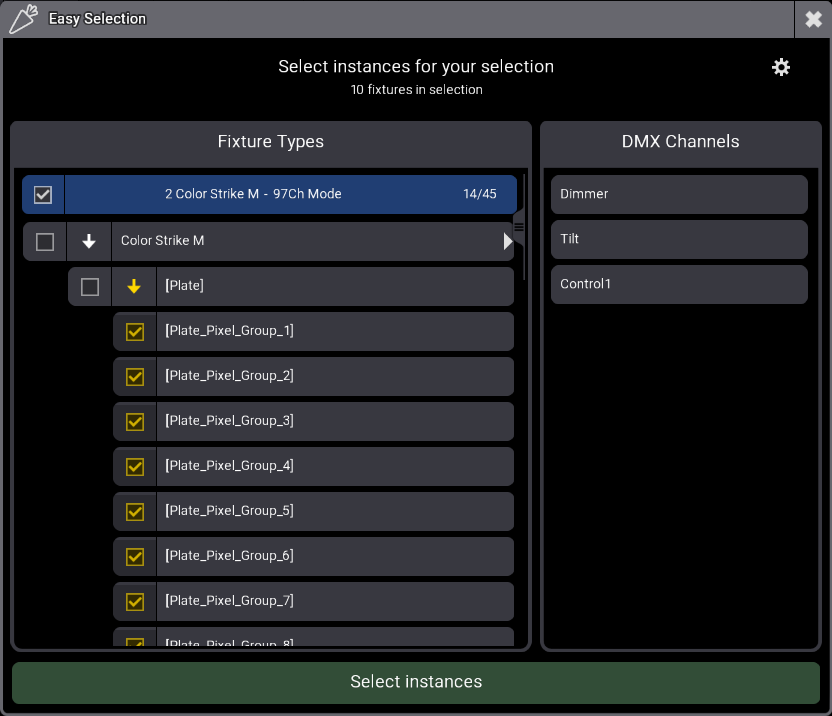
Easy Selection is a visual selection tool for multi-instance fixtures. Stop digging in the command line to build the command that select pixels for a range of fixtures. This plugin analyzes your selection and provides a visual, hierarchical interface to select exactly what you need.
Why you need this plugin:
- Time Saver: Stop typing endless command lines like “
Fixture 101 Thru 142.2.1 Thru 12” The plugin handles the syntax for you in a single click. A must-have tool for creating your linear groups. - Visual Clarity: See the real structure of your Fixture Type (Master, Patterns, Pixels) in a logical tree view.
- Instance content: View the DMX channels for each instance directly in the UI, eliminating guesswork during programming.
- Smart Selection: You can either select an instance itself or all the children only
Key features:
- Auto-Detection: Simply select the fixtures you want to work with and run the plugin; it instantly identifies all involved Fixture Types.
- Grouping friendly: If a grouping fixture is selected, the plugin retrieve fixtures inside it
- Multi-IDType Support: Full compatibility with all ID types (Fixture, Channel, HouseLight, Media, NonDim, etc.).
- Intuitive Interface:
- Clean hierarchical display with indentation for perfect readability.
- Checkboxes to prepare your selection visually.
- Click an instance to see what DMX Channel are in it.
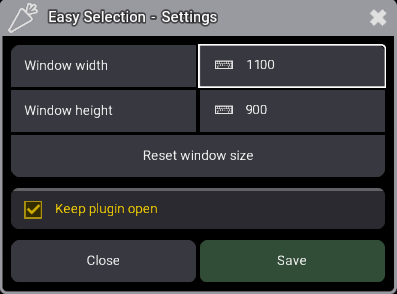
- Settings Menu:
- Adjust window size to fit your use.
- “Keep Open” option to perform multiple selections without restarting the plugin
How to use it?
- Select fixtures
- Run the “Easy Selection” plugin
- Navigate the hierarchy and check the instances you want.
- Click “Select instances”
- Use the selection
- Repeat
Watch the video
Release notes for version 1.0.0.1
- Fixed: Groups above location 4242 are moved by -1 upon plugin launch
Release notes for version 1.0.0.0
- Initial release
15.42€
You may also like…