
Search Broken Commands
10.42€
Scan your show file to find broken handles in commands in all sequences, macros, executors and agendas, and fix them directly from a clean built-in interface.
Never miss a dead command again
When you delete an object used in a command, the console won’t warn you. Every macro line, cue, command, executor custom command or agenda command that was pointing to that object silently becomes a broken handle, a command that will do nothing.
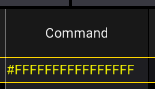
Commands can also break after a show conversion (following a version upgrade), an import, or a Partial Show Read (PSR), leaving behind faulty syntax without any feedback from the console.
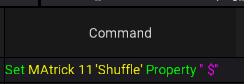
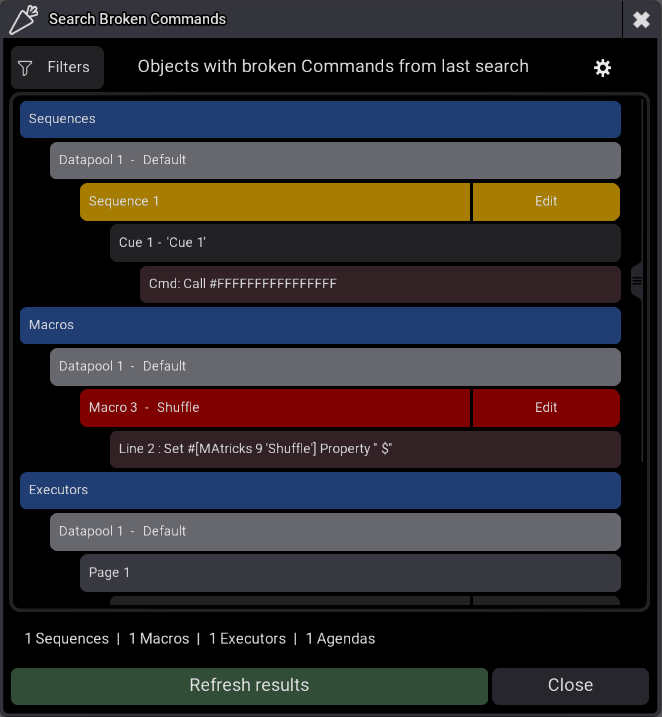
Search Broken Commands scans your show file and surfaces every broken handle and invalid command before it becomes a problem on stage.
🔭 Features overwiew
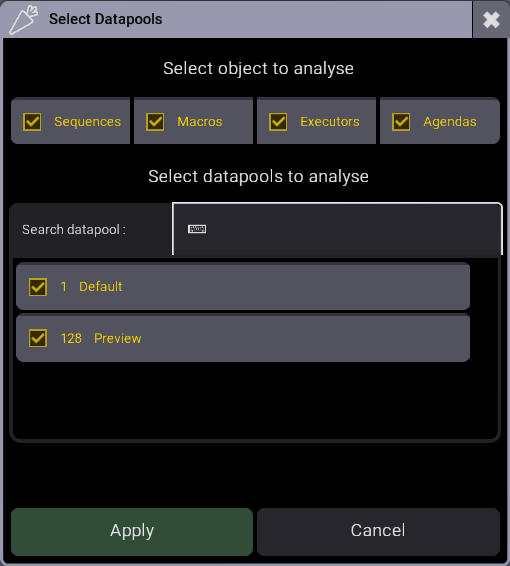
🌐 Full show scan: analyses sequences, macros, executors and agendas across Datapools
✏️ Quick access: jump directly to the faulty object with the built-in Edit button
💾 Persistent results: the last scan is saved and reloaded automatically on next launch
🔄 One-click rescan: hit Refresh Results anytime to run a fresh analysis
🔍 Filter results: The filter button in the results window, allowing you to filter objects and/or Datapools
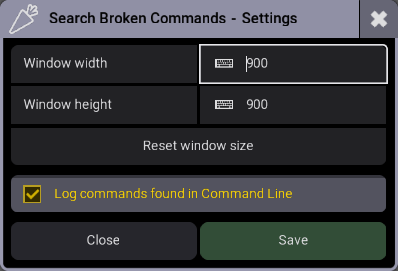
⚙️Settings: you can adjust the window size and enable analysis logs, which are printed in the command line.
🎬 See it in action
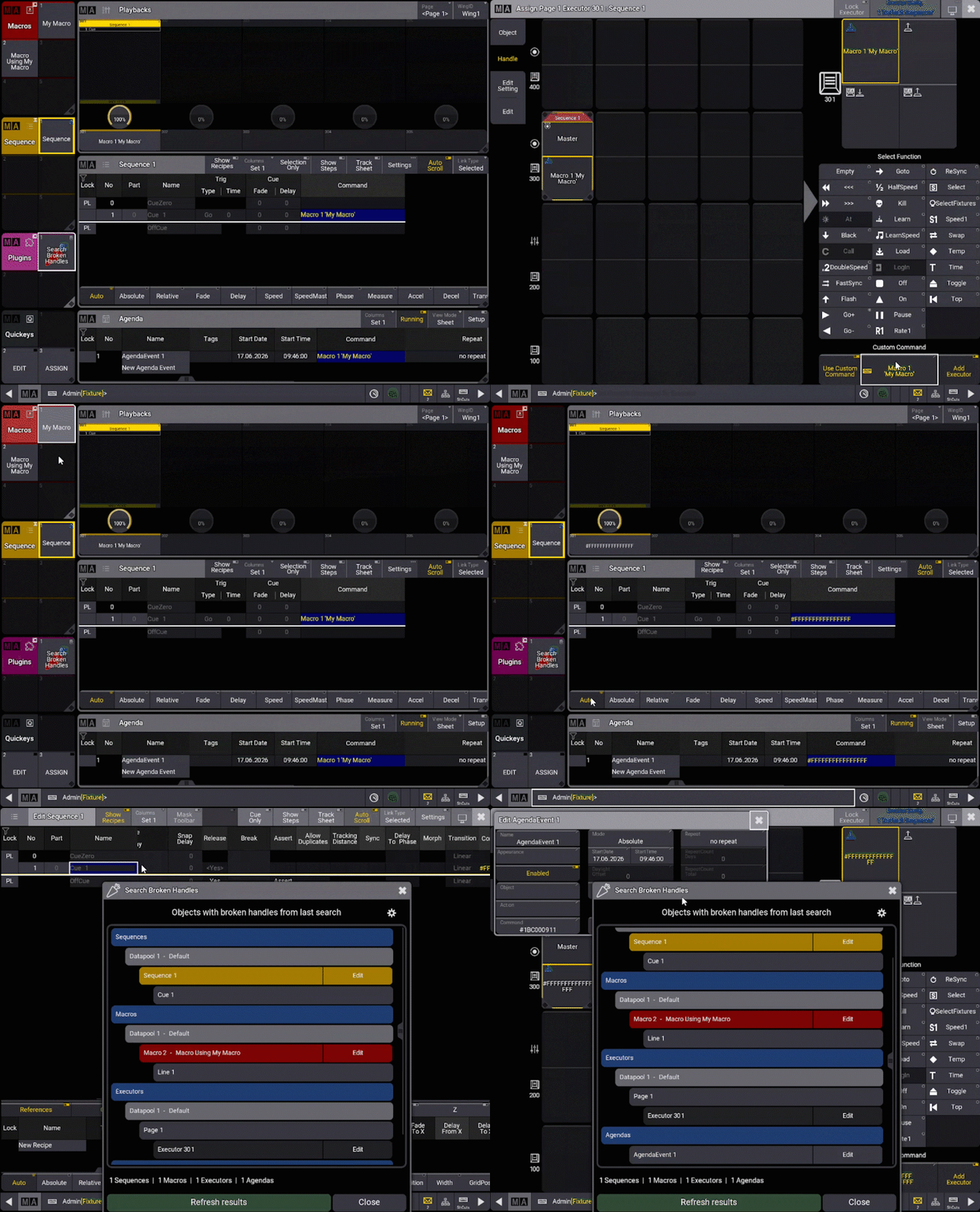
❓What is a broken command?
1. A broken object reference (broken handle)
The command points to an object that no longer exists or could not be found. The console displays it as #FFFFFFFFFFFFFFFF.
2. An isolated quotation mark
A quotation mark " or ' with no text around it. This is a sign that a name or a value has disappeared.
SetUserVariable " #[Macro 1 'Rename']Goto #[Sequence 777 'Blind'] Cue "
3. An odd number of quotation marks
A text string is opened but never closed, in the middle of the command.
Delete "*live* Property "Name" Cue 1
4. An empty value after Property or after an option /…
The property name or the option value has been lost.
Set Sequence 1 Property ""“Hello”Store #[Group 999 'Shuffle'] /Overwrite /GridMergeMode ""
👍What is not considered broken
To avoid false alarms, the plugin ignores cases that the console handles perfectly well:
- An unclosed text at the very end of the command. The console closes it automatically:
Assign Appearance "Disabled" At Macro * If Tag "BUMP_STROB. - An empty value as the last argument of certain commands, for example
SetUserVariable "Name" ""orCall #[Plugin 501.1 'MyPlugin'] "". - Text containing spaces:
"Cue Point Bass 4 "or" - 5F". Luacommands: Lua code follows its own rules and is not analyzed.
👾 Who is it for?
Any grandMA3 programmer who works with complex shows, imports data from other show files, or simply wants to keep their showfile clean and reliable.
⬆️ Updates
🔧 Uninstall and Cleanup
You can uninstall the plugin with the following command, this will delete all plugin data and licence:
Plugin "Search Broken Handles" "Uninstall"If you just need to delete plugin data without unregister the plugin:
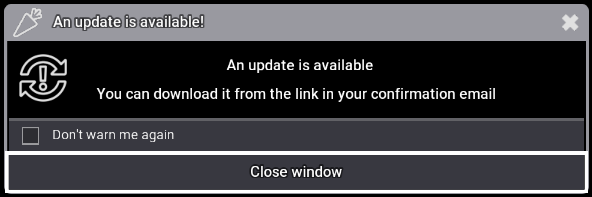
Plugin "Search Broken Handles" "Cleanup"When running on onPC the plugin will check if updates are available and notify you if there are any:
🎫 Licensing
This plugin require a licence activation key sent by email.
⚠️ Disclaimer
The plugin detects commands whose syntax looks abnormal, not their actual effect on the console. Although this feature has been tested on a wide range of commands, it is impossible to guarantee 100% accuracy. The detection process may occasionally yield false positives or false negatives, If you come across any discrepancies or incorrect reports, please report them to me.
Version changelog
- 1.1.0.1
- Changed: The uninstall and cleanup functions no longer restarts the plugin
- 1.1.0.0
- Added: compatibility with Lua 5.5
- Added: Disclaimer Popup for version 2.5 bug
- Added: cleanup and uninstall functions
- 1.0.0.0
- Initial release
Tested Ma versions
- 2.5.0.3
- Warning: This version has a bug that can result in false positive results with handles used in custom executor commands. MA is aware of this bug, and I am waiting for them to fix the issue.
- 2.4.2.2
- 2.3.2.0
10.42€
You may also like…