
Ma3 Easy Invert
5.42€
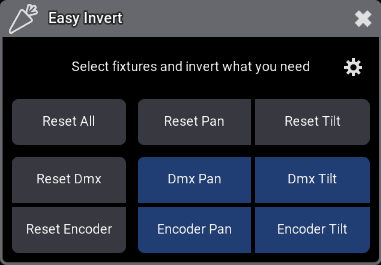
Easy Invert lets you invert Pan and Tilt, for DMX or Encoder, for your selected fixtures in a single click
Easy Invert lets you invert Pan and Tilt, for DMX or Encoder, for your selected fixtures in a single click.
Two ways to use it:
🖥️ Dialog Window
⌨️ Command Line & Macros
Integrate Easy Invert directly into your workflows using grandMA3 commands:
- Call Plugin “Easy Invert” “DmxPanInvert” to toggle Dmx Pan Invert
- Call Plugin “Easy Invert” “DmxTiltInvert” to toggle Dmx Tilt Invert
- Call Plugin “Easy Invert” “EncoderPanInvert” to toggle Encoder Pan Invert
- Call Plugin “Easy Invert” “EncoderTiltInvert” to toggle Encoder Invert
- Call Plugin “Easy Invert” “ResetAll” to reset all fields
- Call Plugin “Easy Invert” “ResetPan” to reset both Dmx and encoder Pan
- Call Plugin “Easy Invert” “ResetTilt” to reset both Dmx and encoder Tilt
- Call Plugin “Easy Invert” “ResetDmx” to reset Dmx for Pan and Tilt
- Call Plugin “Easy Invert” “ResetEncoder” to reset encoder for Pan and Tilt
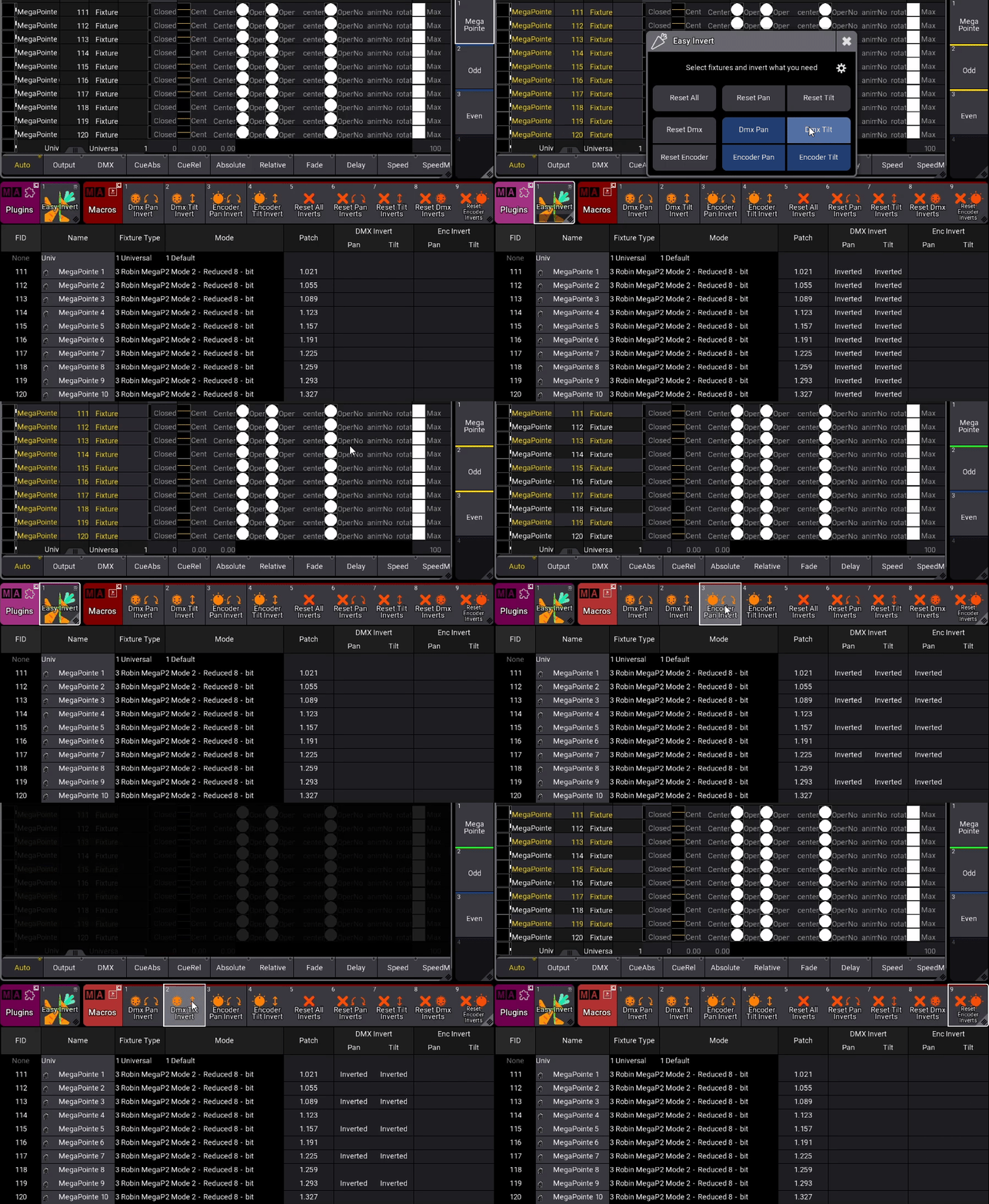
Easy Invert comes with a complete set of macros, ready to be assigned to executors on your tests page.

See it in action:
Version changelog
- 1.0.0.0 :
- Initial release
Tested Ma versions
- 2.3.2
5.42€
You may also like…