
Ma3 Selection Lookout
Free!
This plugin to see the amount of selected fixtures
This plugin creates a macro that is dynamically labeled with the amount of selected fixtures. The macro can then be assigned to a View Button, allowing you to monitor the selected fixtures amount at a glance.
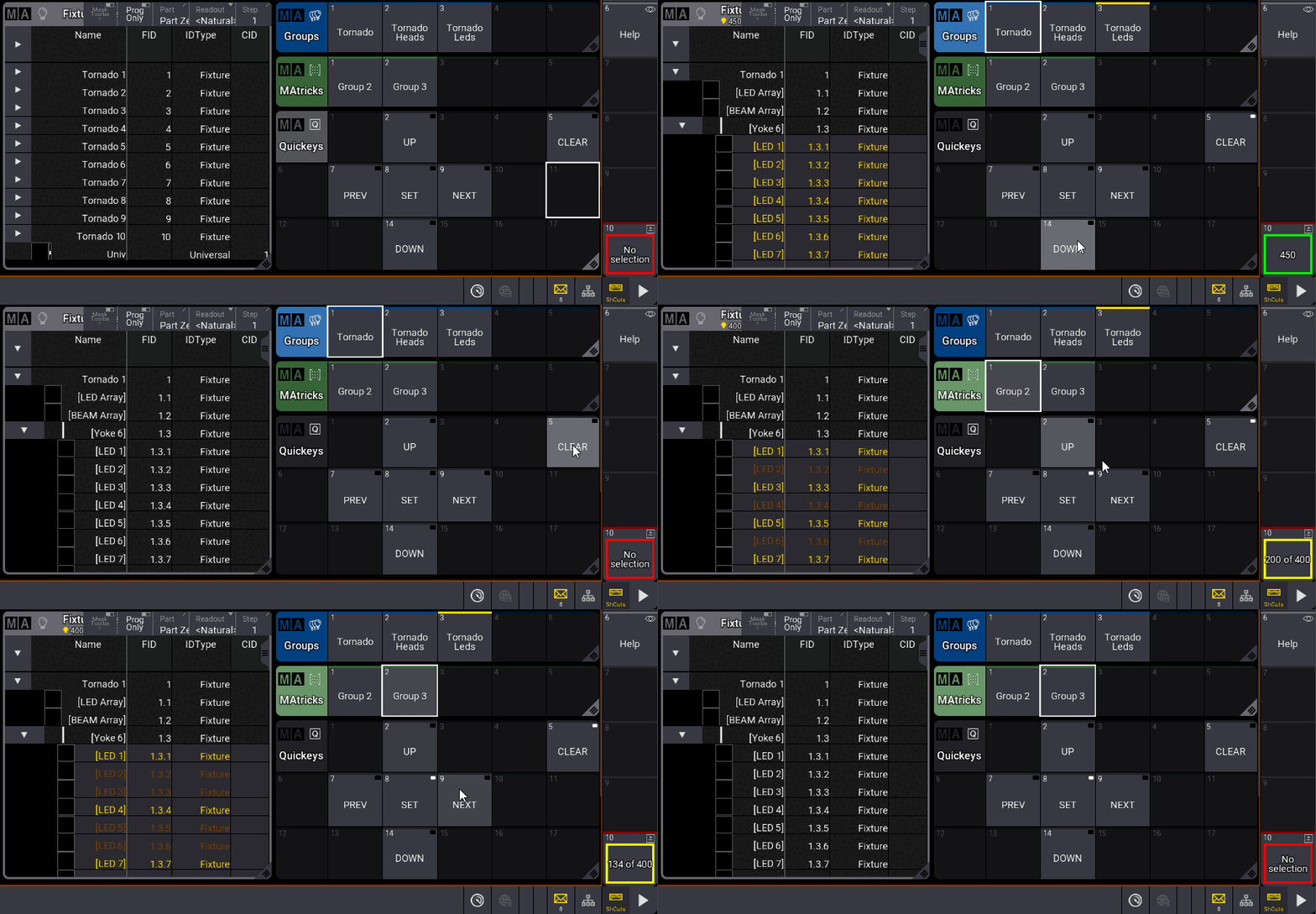
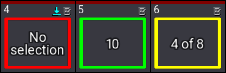
The plugin displays either “No selection”, the number of selected fixtures, or the actual and total count if you uses MAtricks
Setup
On first launch, the plugin ask you to choose a macro storage location for the selection lookout.
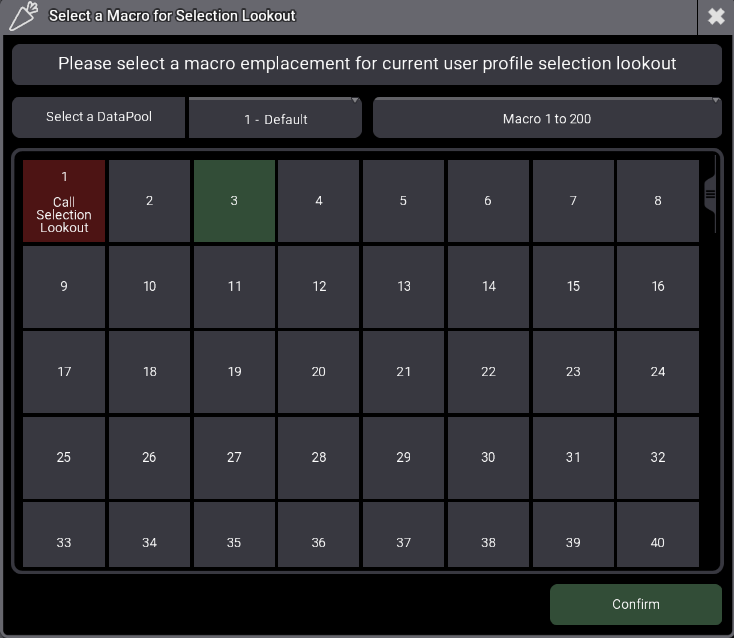
A lookout macro is tied to a user profile. If you try to use the plugin on a profile where the macro hasn’t been set up, the plugin will prompt you to create one.
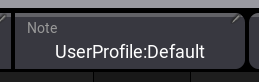
The macro’s linked profile can be identified via its Note field:
Version changelog
- 1.1.1.0:
- Added: Setup mode to reconfigure User macro that show the selection
Use the command Plugin “Selection Lookout” “Setup” to start the plugin in setup mode - Fixed: Macros after the selected macro index can be deleted in some cases
- Added: Setup mode to reconfigure User macro that show the selection
- 1.1.0.0 :
- Fixed: Image appearance was imported at every plugin start
- Fixed: bug when choosing a macro in a non-active datapool
- Fixed: bug when choosing a macro in a empty macros pool
- Changed macros image appearance
- Changed plugin architecture
- 1.0.0.0 :
- Initial release
Tested Ma versions
- 2.3.2
- 2.3.1.1
Free!
You may also like…